什么是 EFK?
EFK 是一套完整的日志收集、存储、分析和可视化解决方案:
- Elasticsearch:分布式搜索和分析引擎,用于存储和检索日志数据
- Filebeat:轻量级日志采集器,负责收集和转发日志到 Elasticsearch
- Kibana:数据可视化平台,提供友好的 Web 界面来查询和分析日志
系统架构
应用程序 → 日志文件 → Filebeat → Elasticsearch → Kibana
前提条件
- Docker 已安装
- Docker Compose 已安装
- 至少 4GB 可用内存
- 操作系统:Linux / macOS / Windows
部署步骤
1. 创建项目目录结构
mkdir efk-stack && cd efk-stack
mkdir -p es-data kibana-data logs
2. 创建 docker-compose.yml
创建 docker-compose.yml 文件:
services:
  elasticsearch:
    image: docker.elastic.co/elasticsearch/elasticsearch:9.2.2
    container_name: elasticsearch
    environment:
      - discovery.type=single-node
      - bootstrap.memory_lock=true
      - ES_JAVA_OPTS=-Xms2g -Xmx2g
      - xpack.security.enabled=false
    ulimits:
      memlock:
        soft: -1
        hard: -1
    volumes:
      - ./es-data:/usr/share/elasticsearch/data
    ports:
      - "9200:9200"
    networks:
      - efk
    restart: unless-stopped
    healthcheck:
      test: ["CMD-SHELL", "curl -f http://localhost:9200/_cluster/health || exit 1"]
      interval: 30s
      timeout: 10s
      retries: 5

  kibana:
    image: docker.elastic.co/kibana/kibana:9.2.2
    container_name: kibana
    environment:
      - ELASTICSEARCH_HOSTS=http://elasticsearch:9200
      - SERVER_NAME=kibana
      - I18N_LOCALE=zh-CN
    ports:
      - "5601:5601"
    volumes:
      - ./kibana-data:/usr/share/kibana/data
    networks:
      - efk
    depends_on:
      elasticsearch:
        condition: service_healthy
    restart: unless-stopped
    healthcheck:
      test: ["CMD-SHELL", "curl -f http://localhost:5601/api/status || exit 1"]
      interval: 30s
      timeout: 10s
      retries: 5

  filebeat:
    image: docker.elastic.co/beats/filebeat:9.2.2
    container_name: filebeat
    user: root
    environment:
      - ELASTICSEARCH_HOSTS=http://elasticsearch:9200
      - KIBANA_HOST=http://kibana:5601
    volumes:
      - ./filebeat.yml:/usr/share/filebeat/filebeat.yml:ro
      - ./logs:/var/log/app:ro
      - filebeat-data:/usr/share/filebeat/data
      - /var/lib/docker/containers:/var/lib/docker/containers:ro
      - /var/run/docker.sock:/var/run/docker.sock:ro
    command: filebeat -e --strict.perms=false
    networks:
      - efk
    depends_on:
      elasticsearch:
        condition: service_healthy
      kibana:
        condition: service_healthy
    restart: unless-stopped

networks:
  efk:
    driver: bridge

volumes:
  filebeat-data:
    driver: local
应用程序的日志也需要映射到./logs
3. 创建 Filebeat 配置文件
创建 filebeat.yml 文件:
CodeBlock Loading...
你也可以把 filebeat 集成到你的应用程序容器中,然后为每个 app 配置独立的 filebeat 配置文件,这样就可以实现日志的独立收集和存储。
如下:
CodeBlock Loading...
注意:跨版本使用可能会导致配置不兼容,建议使用统一版本。
4. 设置目录权限
CodeBlock Loading...
5. 启动 EFK 服务
CodeBlock Loading...
6. 验证服务运行状态
CodeBlock Loading...
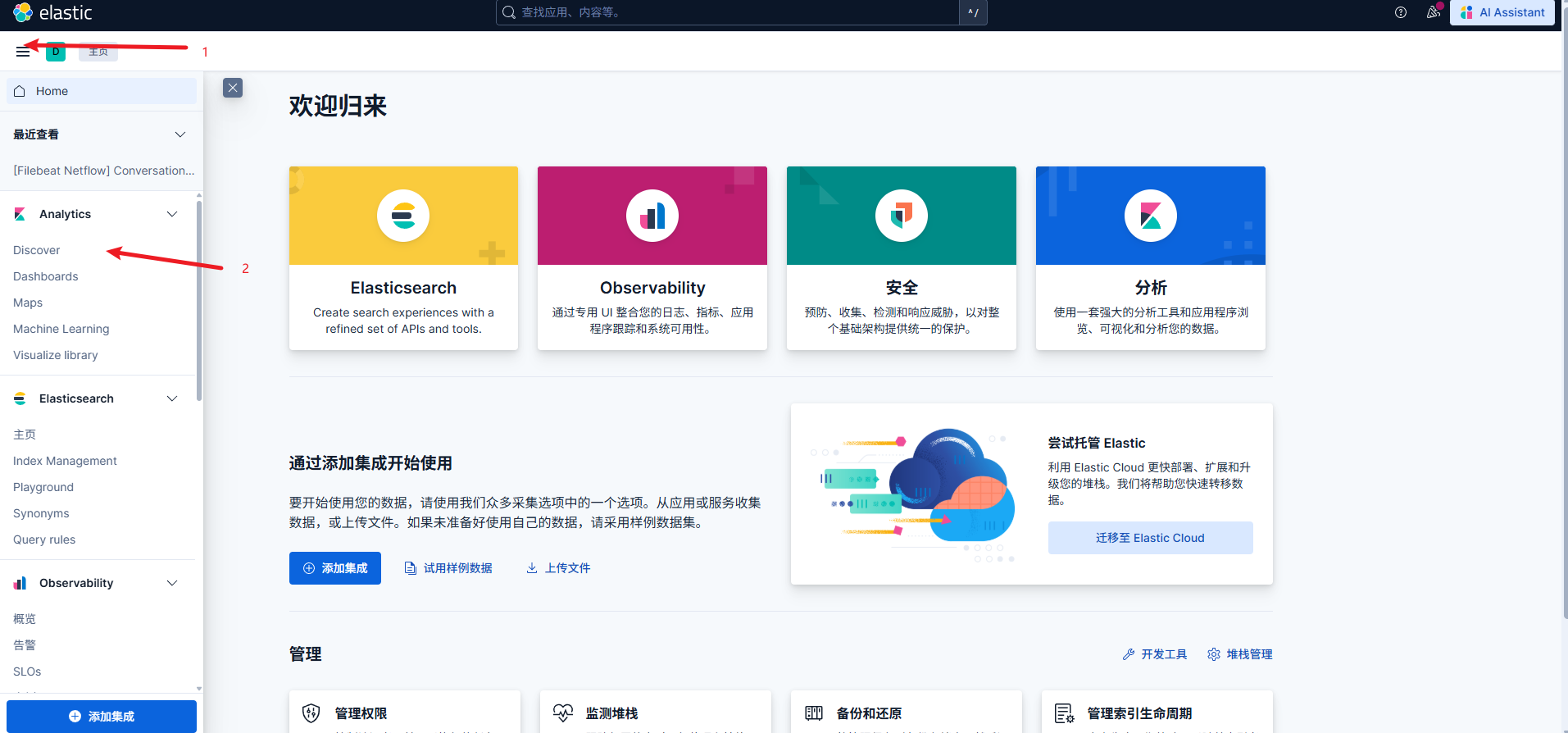
7. 访问 Kibana
打开浏览器访问:http://localhost:5601
ELK Stack
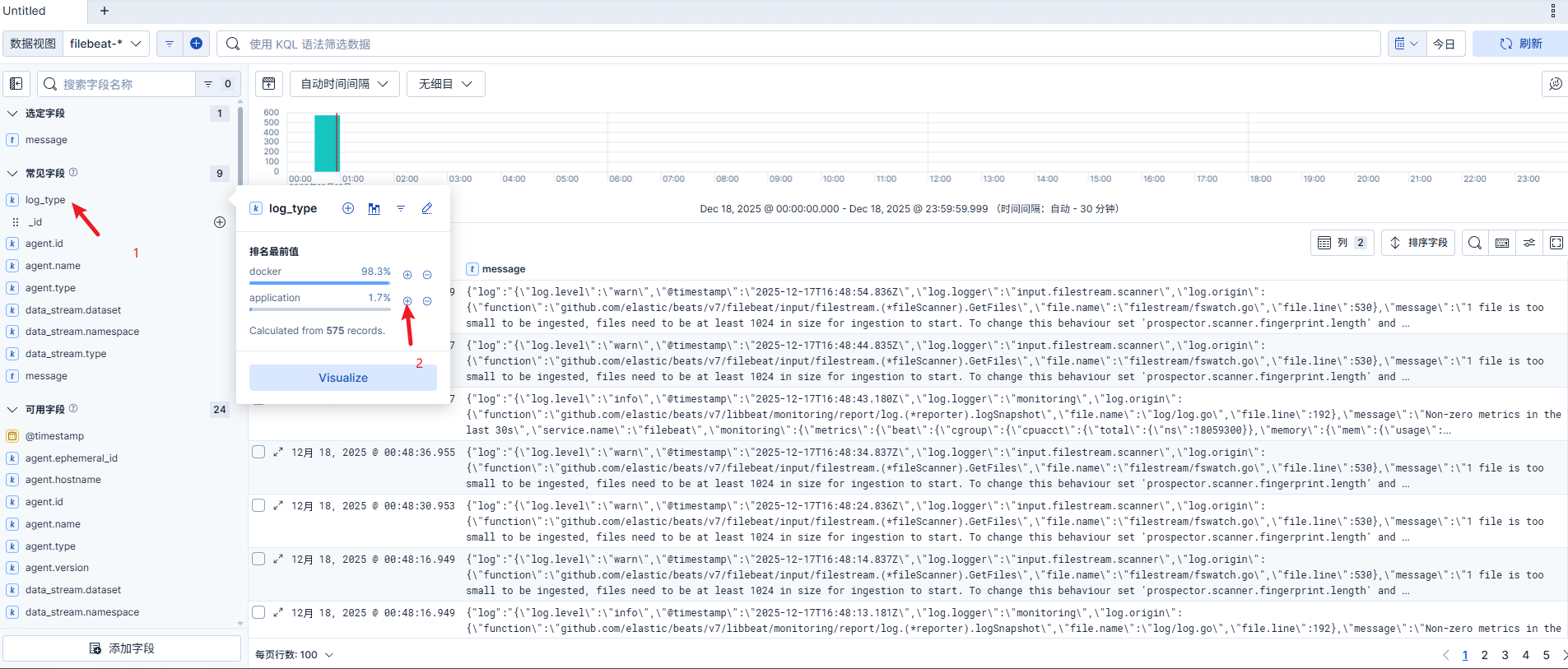
请确保应用日志写到./logs目录下,或者你也可以在 docker-compose.yml 中修改日志路径。
ELK App Log
---